Archived Time Card
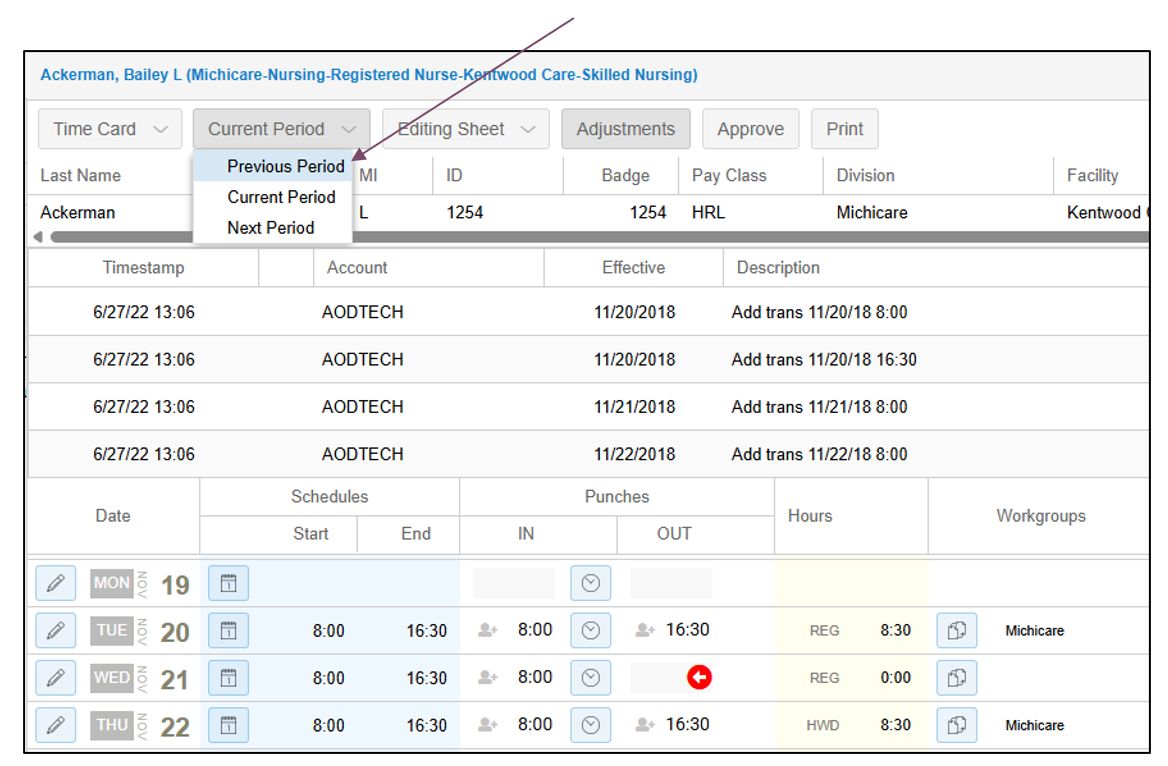
To view an employee’s time card for the previous pay period, access the employee’s record and select Time Card from the drop-down list. With the time card displayed, select Previous Period from the pay period drop-down list.
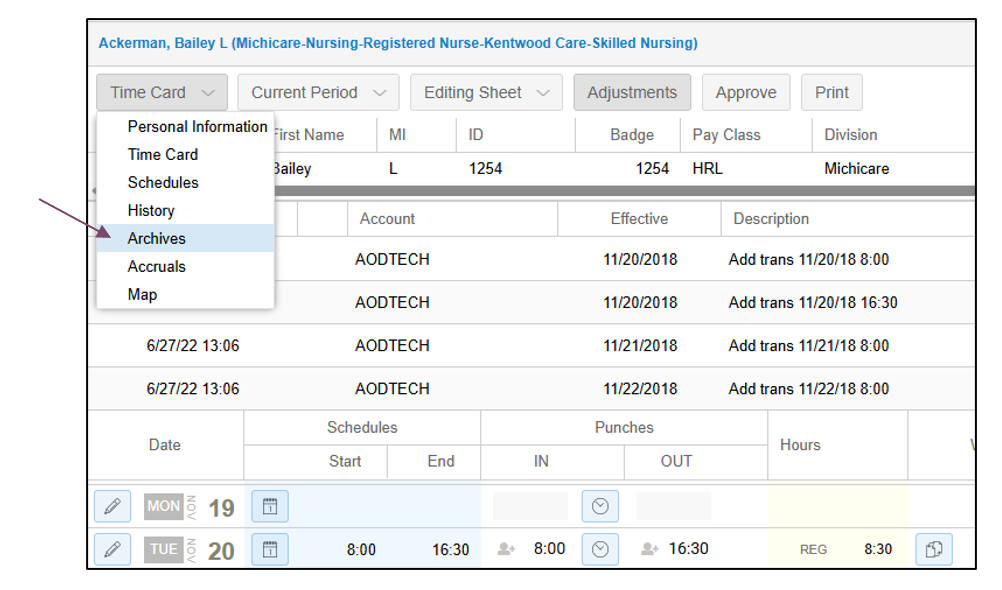
To view time cards from pay periods prior to the previous pay period, select the Archives page from the drop-down list.
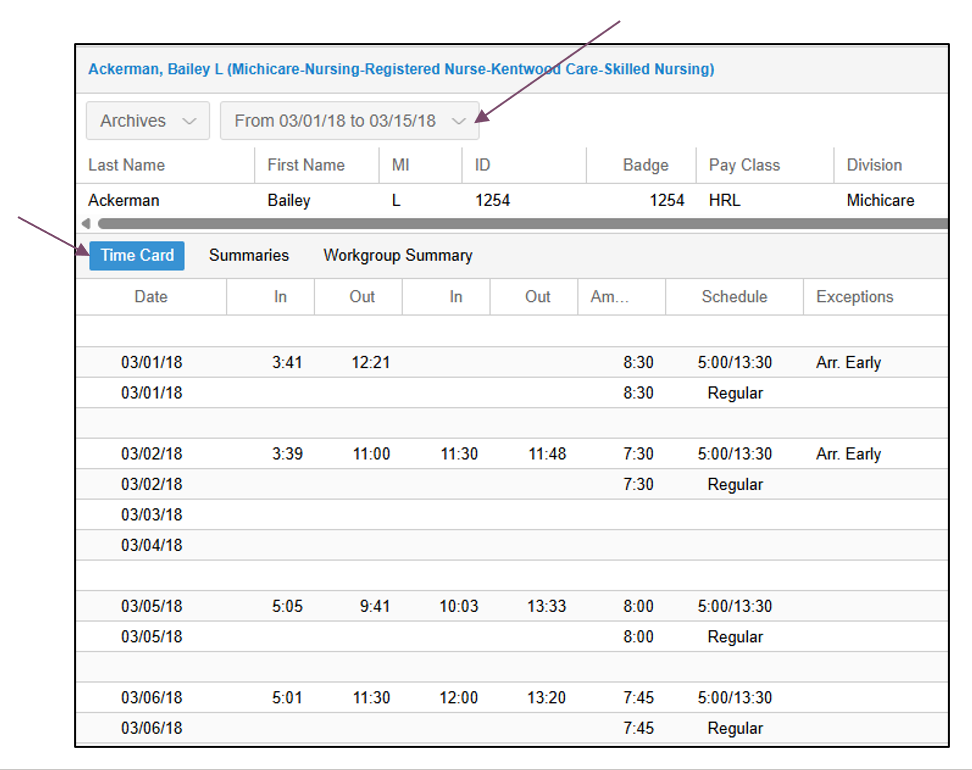
Select the Time Card tab to view details for the pay period dates displayed in the pay period drop-down list.
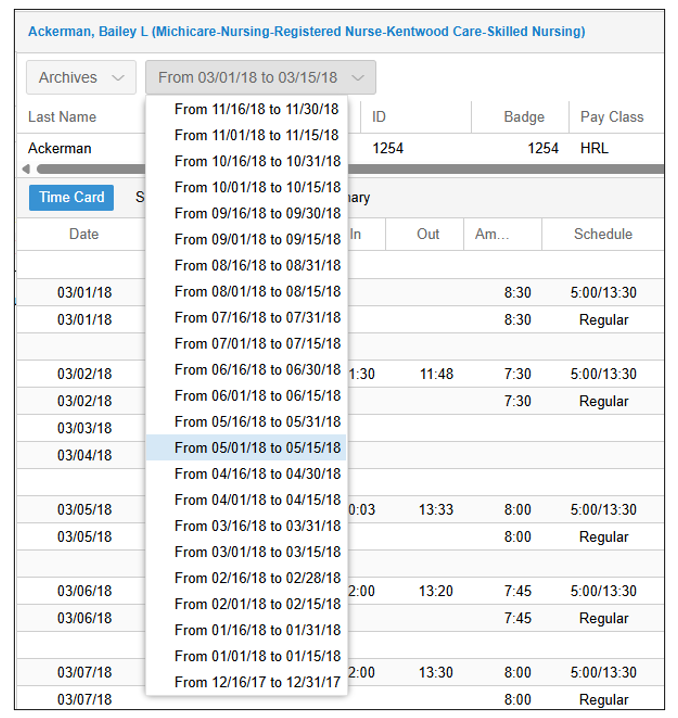
To select a different archived pay period, click to expand the pay period drop-down list.
Download the PDF job aid here –> Viewing an Archived Time Card Job Aid.